Templated Treatments
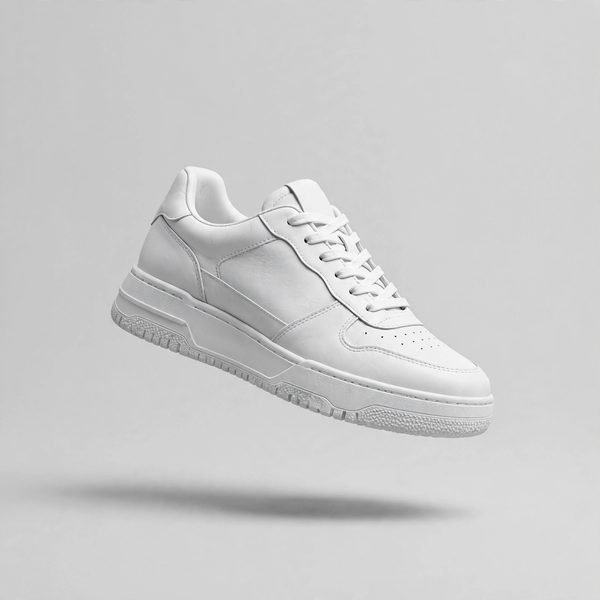
Backgrounds, canvases, crops and ratios are defined once per channel and applied by rule, so every batch matches the approved template exactly.
AI Creative Services
When a catalogue adds products every week, image production cannot depend on someone remembering the rules. We build documented workflows — templates, checks and exports — that process batches at catalogue pace, with retouchers on the exceptions and the final sign-off.

The Problem
A growing catalogue repeats the same image work thousands of times: the same backgrounds, the same crops for each marketplace, the same naming pattern, the same export settings. Done by hand, that repetition drifts — one batch slightly different from the last, one channel quietly out of specification.
Creative automation turns your standards into a workflow. Rule-based generation and templated treatments handle the repeatable work, automated pre-checks screen every file, and human QC gates catch what rules cannot judge. The retouchers do not disappear from the process; they move to where judgement actually matters — exceptions, edge cases and final approval.
Automate the repetition, and the humans spend their time on the images that need a human.
What You Get
Backgrounds, canvases, crops and ratios are defined once per channel and applied by rule, so every batch matches the approved template exactly.
Where images need generated elements — a standard scene, a clean backdrop, a size variant — generation follows documented rules, not individual improvisation.
Every file is screened for rule failures, missing elements and anomalies before a human sees the batch, so problems surface early and specifically.
Flagged files go to retouchers for individual handling, and the batch receives human sign-off before delivery. Nothing ships on automation alone.
File names, folder structures and metadata are applied to your specification on every export, ready for your store, channels or asset library.
Batches arrive organised the way your digital asset management expects them, with a documented record of the workflow each file passed through.
Workflow
We study your catalogue, channels and current retouching flow, then build templates and rules and approve them on your test files.
Images run through the workflow: templated treatments, rule-based generation and standardised exports applied uniformly across the set.
Automated checks screen every file. Anything uncertain is pulled out for a retoucher to finish individually, never forced through.
A retoucher reviews the batch against the standard, signs it off, and the files are delivered named, organised and documented.
Who It Is For
Automation fits programmes where the same treatments repeat: multi-marketplace sellers, brands refreshing ranges seasonally, and studios or in-house teams whose retouchers are buried in mechanical work instead of finishing.
Deliverables
| Deliverable | Formats | Notes |
|---|---|---|
| Processed image batches | JPEG, WebP, PNG | Templated treatments applied uniformly, screened and signed off by a retoucher. |
| Channel export sets | Per channel specification | Crops, ratios, backgrounds and compression matched to each marketplace or store. |
| Naming & metadata | Embedded + manifest | Your naming pattern and metadata applied to every file, with a batch manifest. |
| Exception report | Document | Files pulled from automation and finished by hand, listed with the reason. |
| Workflow documentation | Document | The templates, rules and checks recorded, so the process is repeatable and auditable. |
Questions
We set up the rules, templates and checks once, then your batches run through them: templated backgrounds, crops and ratios, naming and metadata standards, and automated pre-checks. Our retouchers handle the exceptions the rules reject and give final sign-off. You send product images; finished, standardised files come back.
Suitability depends on consistency. If your products are photographed in a broadly similar way and your channels need the same treatments repeatedly, automation fits well. Mixed, one-off creative work is usually better handled as individual retouching, and we will say so honestly after reviewing a sample of your catalogue.
A great deal can be standardised: background replacement or cleanup, canvas sizing, marketplace crops and ratios, file naming, metadata, colour profiles and export formats. Judgement calls stay human. Anything the automated pre-checks flag as uncertain is routed to a retoucher instead of being forced through the template.
Three layers protect the output. The templates themselves are built and approved on your test files first. Automated pre-checks then screen every image for rule failures, missing elements and anomalies. Finally, retouchers review flagged files individually and sign off the batch, so no image ships on a rule alone.
Yes, that is the usual starting point. We map your existing intake, retouching steps and delivery habits, then automate the repetitive parts while keeping your approval points where they are. The workflow is documented for your team, so the process does not depend on any one person's memory.
Delivery follows a naming and folder standard agreed with you, with metadata applied as specified and files organised by product, channel or batch as your system expects. If you work with a digital asset management platform, tell us its import requirements and we will match the export to them.
Send a representative sample of your catalogue through the free trial of up to 5 images, plus a note of the treatments and channels involved. We run the sample through a draft workflow and return the results with an honest assessment of what automation would cover for your catalogue.
See the wider programme the workflows draw on: generation, editing, backgrounds, enhancement, video and model imagery.
Explore the hub From The JournalOur journal article on where artificial intelligence genuinely earns its place in an e-commerce operation — and where it does not.
Read the articleFree Trial
Start with a free trial of up to 5 images: send a representative sample and we will run it through a draft workflow and report honestly on fit.