SEO & Growth
How to Write Alt Text for Product Photos: A Practical Guide With Fashion Examples
Alt text is the short description attached to an image that screen readers read aloud and search engines use to understand what the photo shows. For a fashion store, it is also free, permanent product copy hiding in plain sight. This guide gives you a simple formula, worked fashion examples, and the mistakes that quietly waste the effort.
Table of Contents
What Alt Text Is (and What It Is Not)
Alt text (the alt attribute on an image) exists first for accessibility: it is what a screen reader speaks to a shopper who cannot see the photo, and what appears if the image fails to load. Search engines read it for the same reason a person would — to know what the image shows.
It is not a keyword field, not a caption, and not the place for marketing slogans. The test is simple: if you closed your eyes and someone read the alt text to you, would you picture the right product? If yes, it will work for Google too.
The Formula: Product + Attributes + Context
Nearly every good product alt follows the same shape: name the product, add the attributes a shopper can see (color, material, pattern, fit), and add context only where it is true (front view, worn by a model, flat lay). Aim for one natural sentence, usually under 125 characters.
- Product: what it is — wrap dress, leather tote, ribbed-knit sweater.
- Attributes: color, fabric, finish, pattern — sage green, linen, matte gold hardware.
- Context: front view, back view, on model, ghost mannequin, detail close-up — only when that is what the photo shows.
Word order matters less than completeness. “Women’s sage-green linen wrap dress, front view” tells a shopper and a search engine everything the photo contains, in nine words.
Worked Fashion Examples: Weak vs Strong
The fastest way to learn the formula is to see it applied. These are the patterns we use when optimizing catalog imagery:
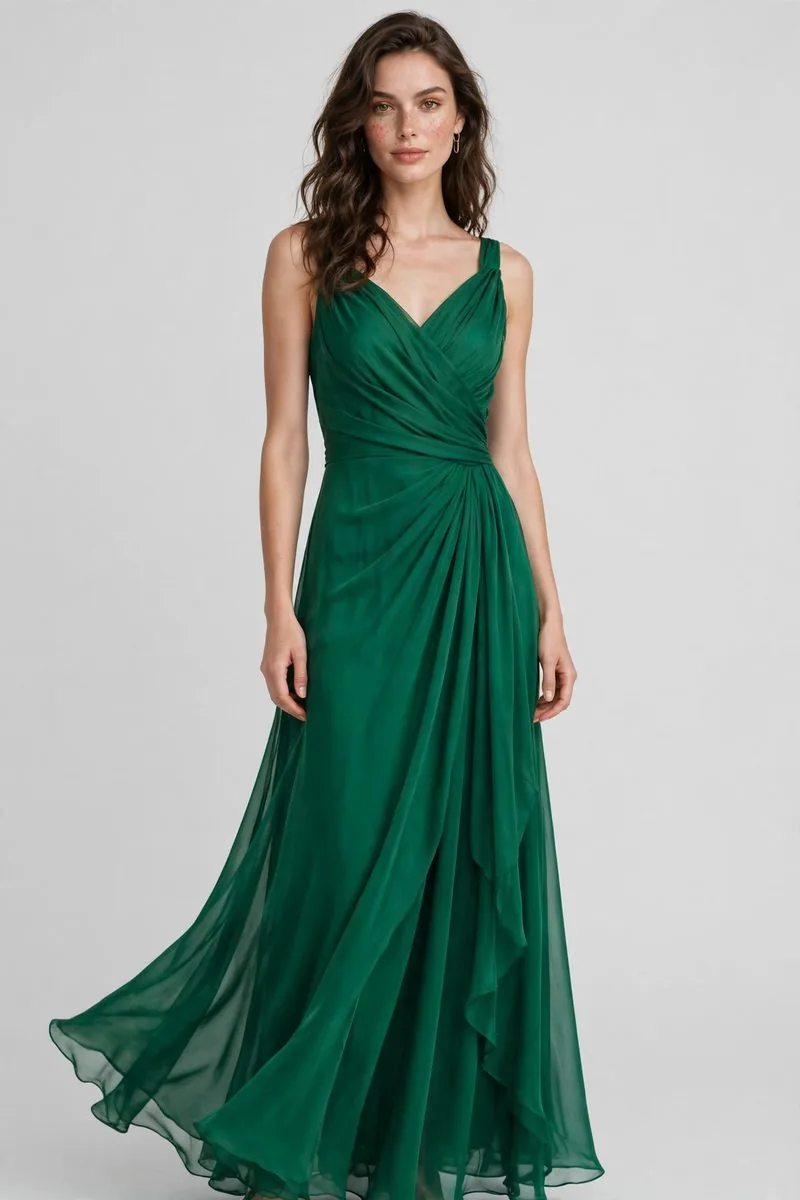
- Dress, front view. Weak: “dress” or “IMG_2041”. Strong: “Women’s sage-green linen wrap dress with short sleeves, front view”.
- Ghost mannequin shot. Weak: “ghost mannequin dress”. Strong: “Navy A-line midi dress shown with invisible mannequin effect, sleeveless, front view”.
- Detail close-up. Weak: “close up”. Strong: “Close-up of brushed-brass zipper and stitching on a black leather crossbody bag”.
- On-model lifestyle. Weak: “model wearing jacket”. Strong: “Model wearing a cropped beige trench coat over a white t-shirt, street setting”.
- Color variant. Weak: repeating the main alt word for word. Strong: the same description with the variant’s actual color and any visible difference — because that is the photo this alt belongs to.
Notice what none of the strong examples do: none start with “image of”, none list search terms, and none promise anything the photo does not show.
Length, Formatting and Edge Cases
- Length: one sentence is usually right. If you reach a second sentence, the detail probably belongs in the product description instead.
- Punctuation: plain words, normal capitalization. Screen readers pause at commas; use them where a speaker would.
- Text inside the image: if a graphic carries real text (a size chart, a care label), the alt should carry that text or point to where it is written out.
- Logos and icons: functional images get functional alt (“Search”, “Pic Visual home”); purely decorative images get an empty alt attribute, explained next.
When to Leave Alt Text Empty
An empty alt attribute (alt="") is a deliberate instruction: this image is decoration, skip it. Background textures, divider graphics and purely atmospheric shots that add no product information should be skipped by screen readers rather than announced. Empty is correct there — but never on a product photo. A missing alt attribute is a different thing entirely: it gives the screen reader nothing, so it often reads the file name aloud instead. That is the worst outcome of all.
The Five Mistakes That Waste the Effort
- Keyword stuffing: “cheap dresses buy dresses online best dress shop” reads terribly, helps no one, and can be treated as spam.
- “Image of” openings: the screen reader already announces it is an image; the words waste your first characters.
- Copy-paste alt across variants: five colors with identical alt text describe four of the photos wrongly.
- Repeating the file name: if the alt just restates IMG_2041.jpg, nothing was described.
- Writing alt for the search engine only: alt that no human would say aloud fails the accessibility purpose it exists for — and reads as manipulation.
Alt Text at Catalog Scale
A store with 3,000 products cannot rewrite everything this week, and does not need to. Prioritize in the order images earn money: category hero images and best-sellers first, then current-season products, then the long tail in batches as collections rotate. Build the formula into your upload process so new products arrive with alt text written at the same time as their descriptions — the cheapest alt text is the kind you never have to retrofit. The naming side of the same system is covered on our Image SEO & Metadata page.
Frequently Asked Questions
Does alt text actually help SEO?
Yes, as part of image SEO: it helps search engines understand and rank the image in image search, and it strengthens the page’s relevance for the product it shows. It is not a magic ranking lever on its own — it works together with a descriptive file name, a relevant page, and an image worth ranking.
How long should alt text be?
Usually one sentence, roughly 10–20 words. Long enough to describe the product, its key attributes and the view; short enough that a screen-reader user is not stuck listening to a paragraph for every photo in a grid.
Should every image on my site have alt text?
Every informative image, yes. Purely decorative images should have an empty alt attribute so assistive technology skips them. What no image should have is a missing alt attribute.
Can I just use the product title as the alt text?
It is better than nothing, but usually incomplete: titles rarely include the view (front, back, detail) or the attributes visible in that specific photo, and variant photos end up sharing identical alt. Use the title as the starting draft, then adjust it to the photo.
Who should write alt text — the photographer, the editor, or the SEO?
Whoever touches the image with the most product knowledge, working from one shared formula. In practice it is often the editing stage: the retoucher sees every view and variant. What matters is consistency — one convention, applied across the whole catalog.
Want this handled across your whole catalog? Pic Visual’s Image SEO & Metadata service applies exactly this system — file names, alt text, metadata and compression — to product imagery at catalog scale. Start with the images that sell: category heroes and best-sellers first, then work through the catalog in batches.